Web-based operating system for agentic developers.
Easy remote access
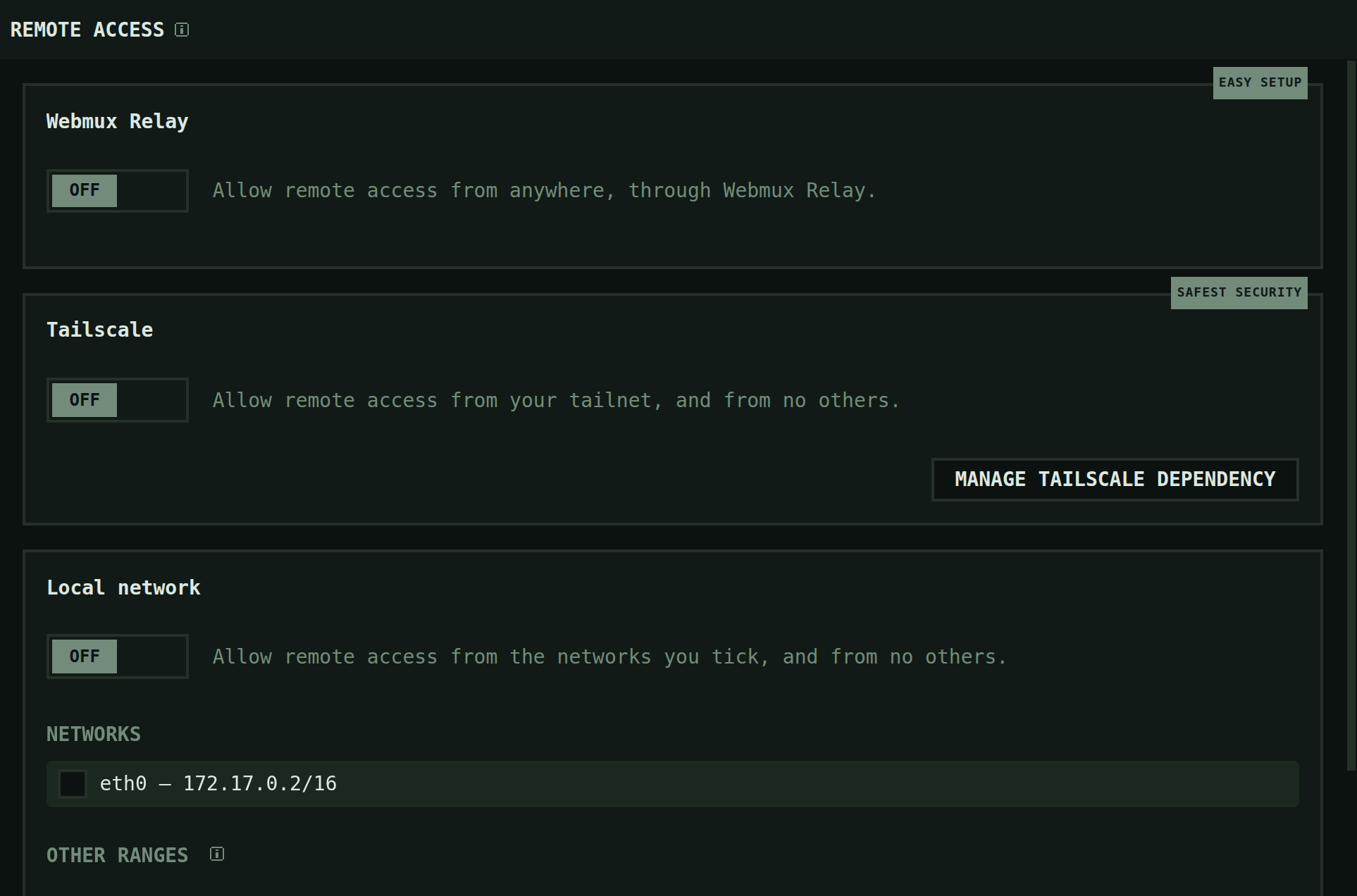
Turn on remote access: the Webmux Relay, Tailscale or your local network, each with its own switch.
- Turn on remote access, and pick it up from your phone
- Three destinations, each with its own switch: your local network, your tailnet, and the Webmux Relay — end-to-end encrypted, it carries bytes it cannot read. Open the address on a phone and you get a real terminal. Remote access is a paid-plan feature.
1 / 12Switch between Claude and Codex
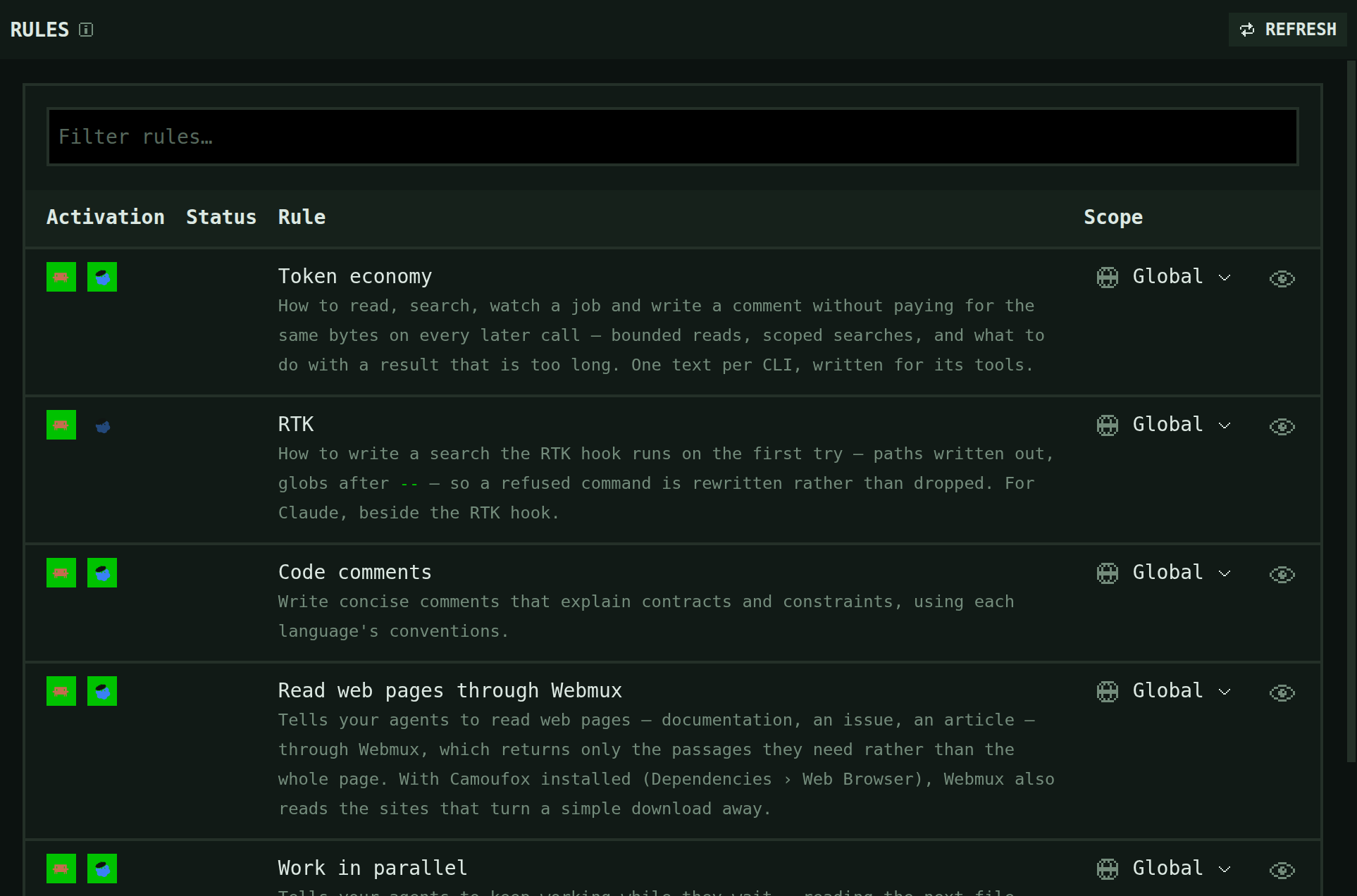
Claude Code and Codex, each in its own pane. Their skills, MCP servers, hooks and rules sit on one page each, a column per agent.
- One setup for every provider
- MCP servers, skills, hooks and instructions each have a page, for Claude Code and Codex alike.
- An agent that drives the workspace
- Webmux registers itself as an MCP server, so the agent opens panes instead of asking you to. Paid plans.
2 / 12Persistent terminal multiplexer
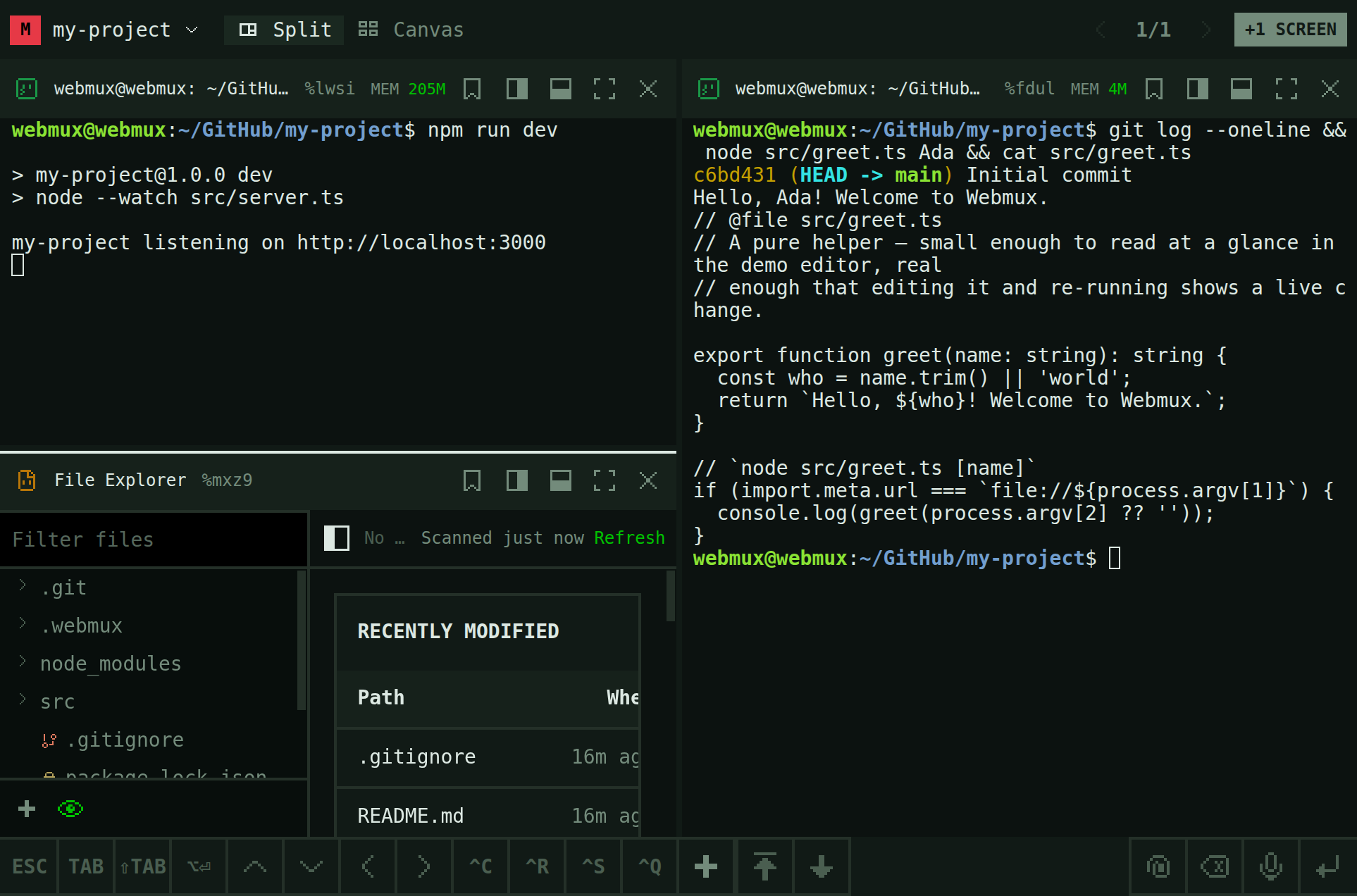
Split a screen into terminals and panes; they keep running after you close the tab.
- Launch persistent terminals and your agents, in your browser
- Run webmux serve where your code lives; the rest happens in a browser tab. Open a terminal, launch Claude Code or Codex in its own pane, then close the tab: a separate Rust daemon owns the process, so the run finishes without you.
- All your agents at a glance
- Every project's panes on one canvas — as a strip, or as an even grid.
3 / 12Mobile friendly
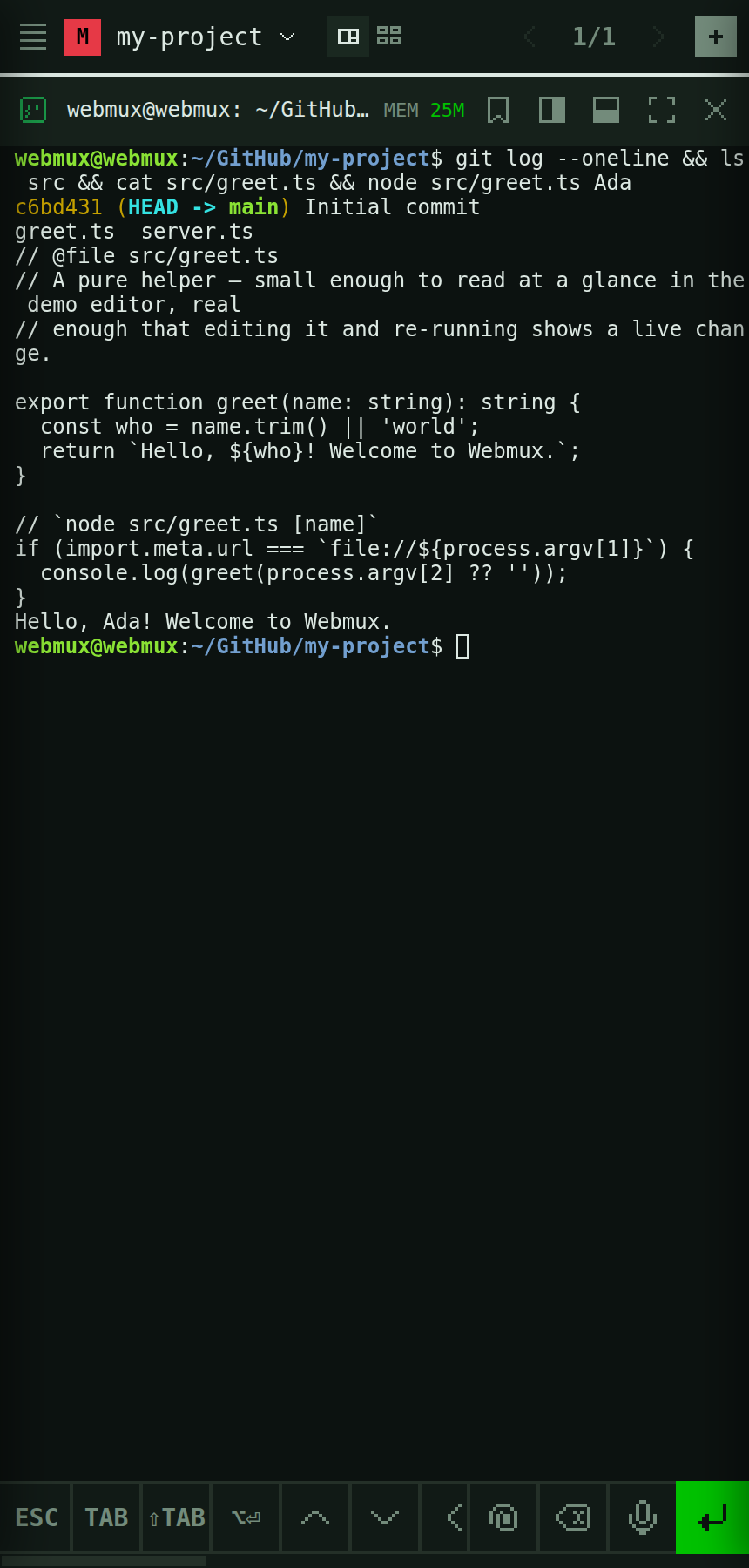
The same workspace on your phone: open a terminal or any pane.
4 / 12Tokens optimizer
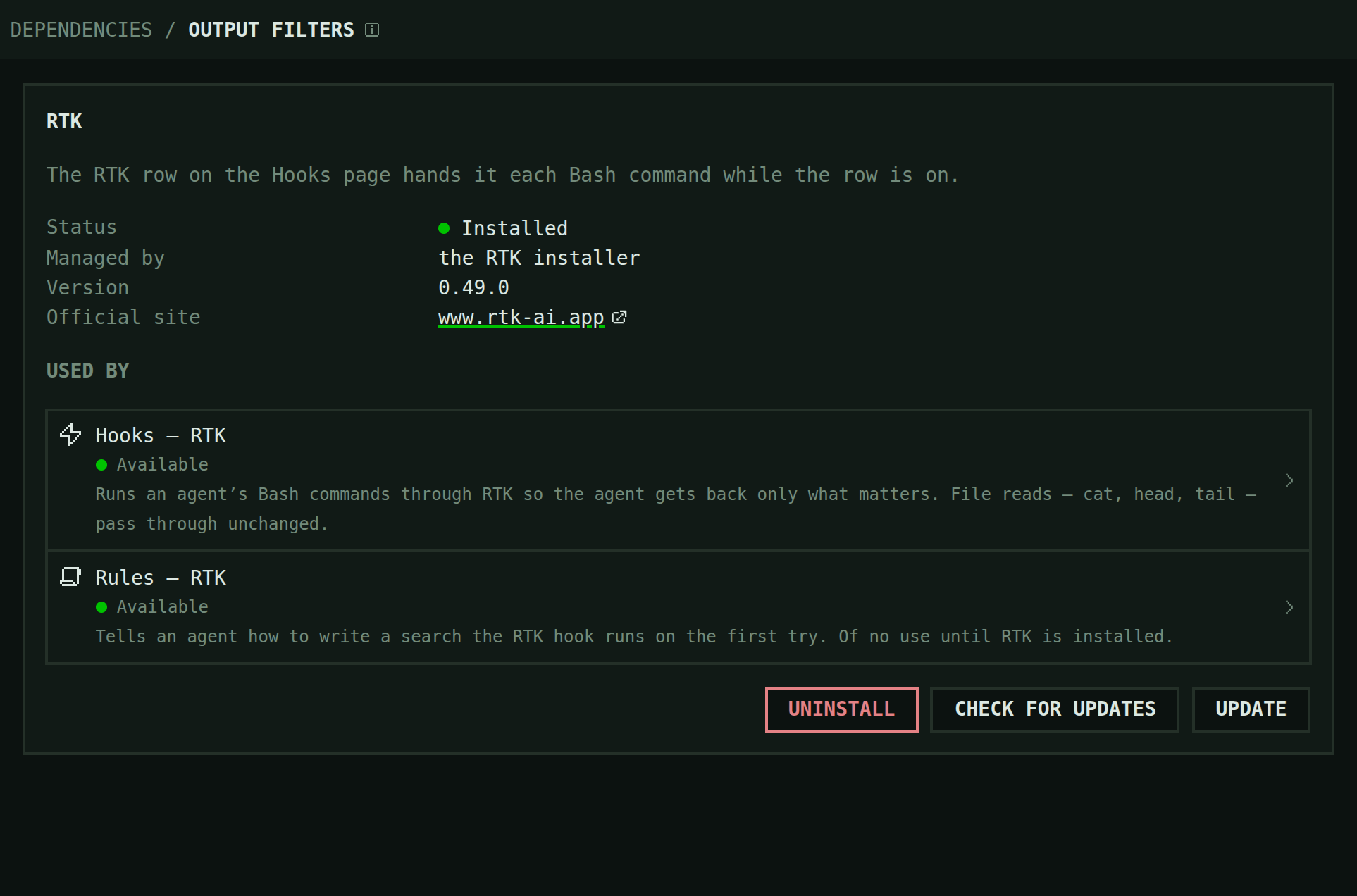
Command output cut to what matters before your agent reads it.
- One language server for all your agents
- Agents ask it where a symbol is defined and used, in compact answers, instead of starting their own. Paid plans.
- Command output cut to what matters
- In Claude Code, tests, searches and git commands come back through RTK: the failures and the lines that matter. Paid plans.
- Read pages that turn agents away
- Agents get only the passages of a page they need. With Camoufox, they also read pages that block their fetch. Paid plans.
5 / 12Best practices
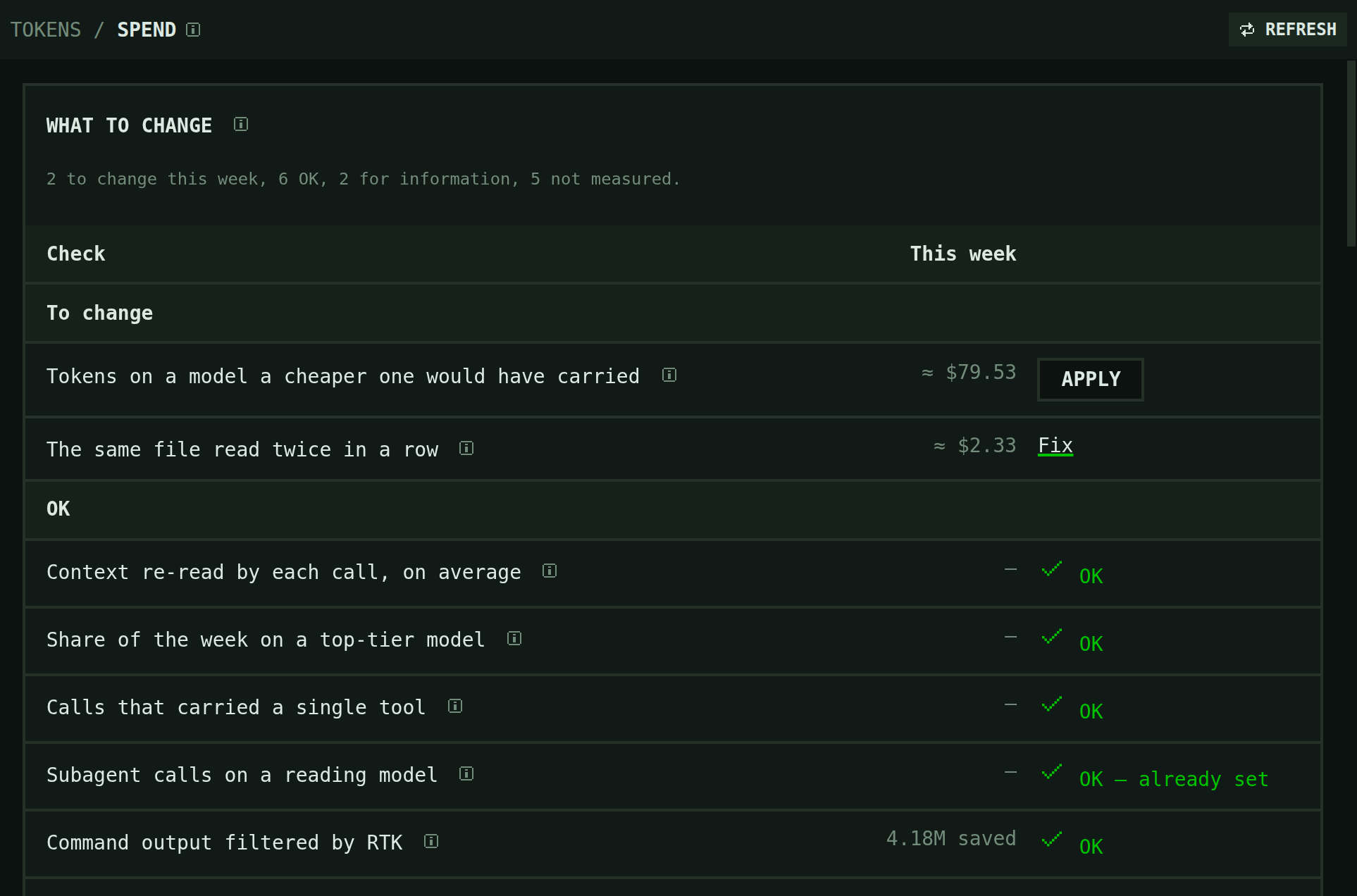
What to change this week: the checks Webmux runs on how your agents spend tokens.
- Told when a habit costs you
- A toast after a message that cost more than it should, and a tip when certain habits keep coming back. Paid plans.
6 / 12Local AI
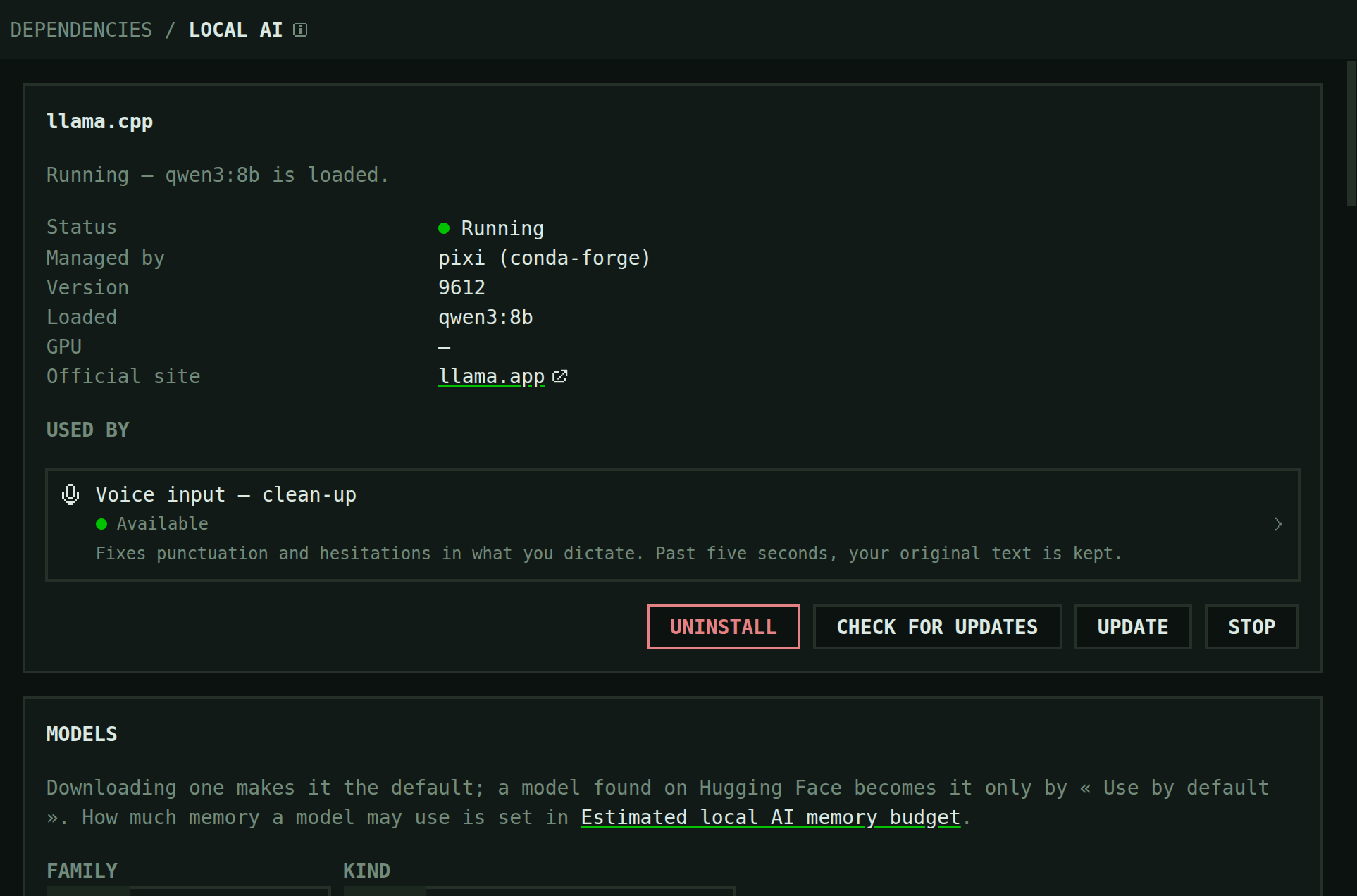
Run a local model with llama.cpp, started and stopped from Webmux.
7 / 12Voice transcription
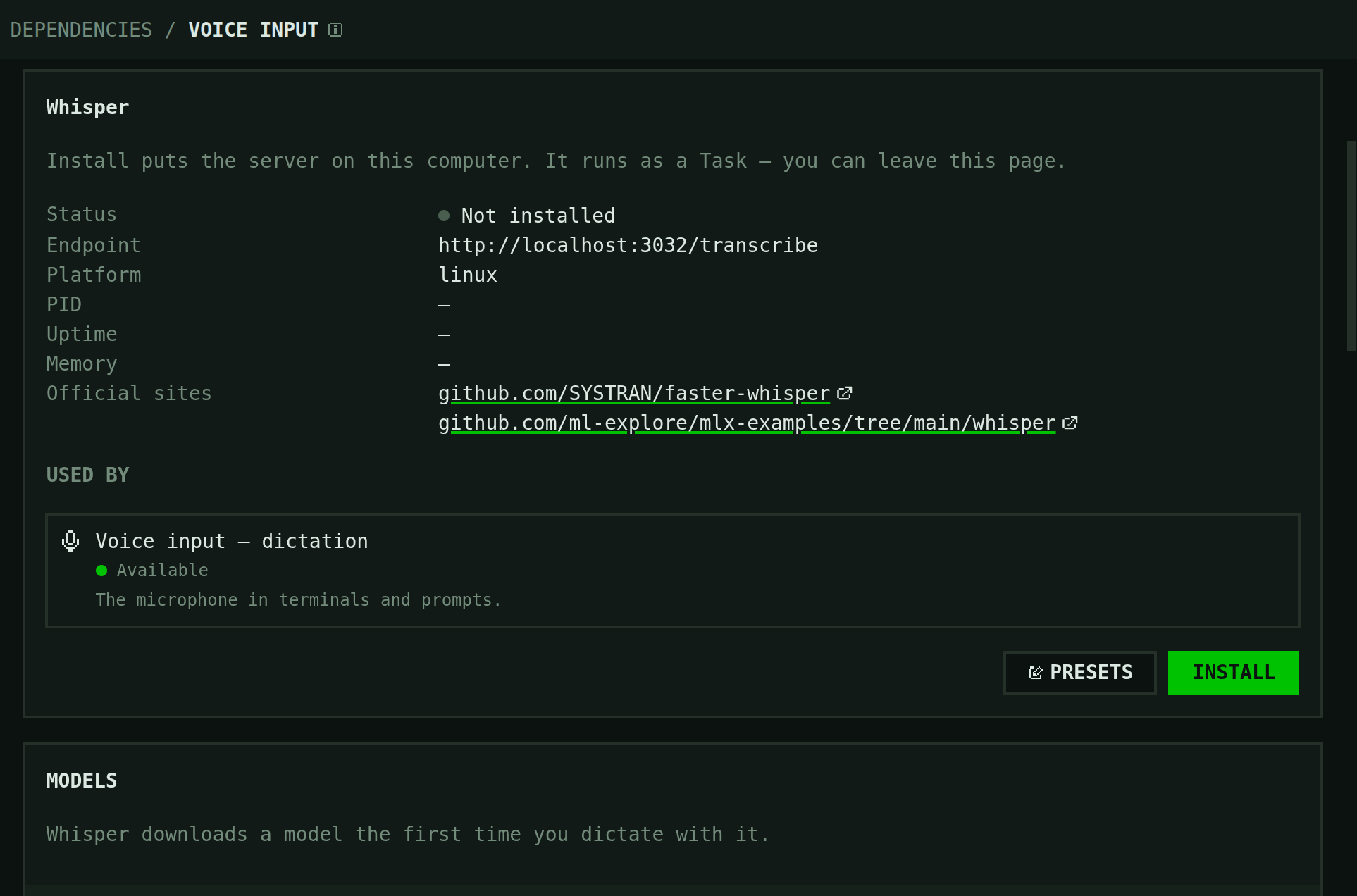
Dictate instead of typing; Webmux installs Whisper for you.
- Say it instead of typing it
- Dictate into the compose bar or an agent's prompt with a local Whisper model. Paid plans.
8 / 12Customizable
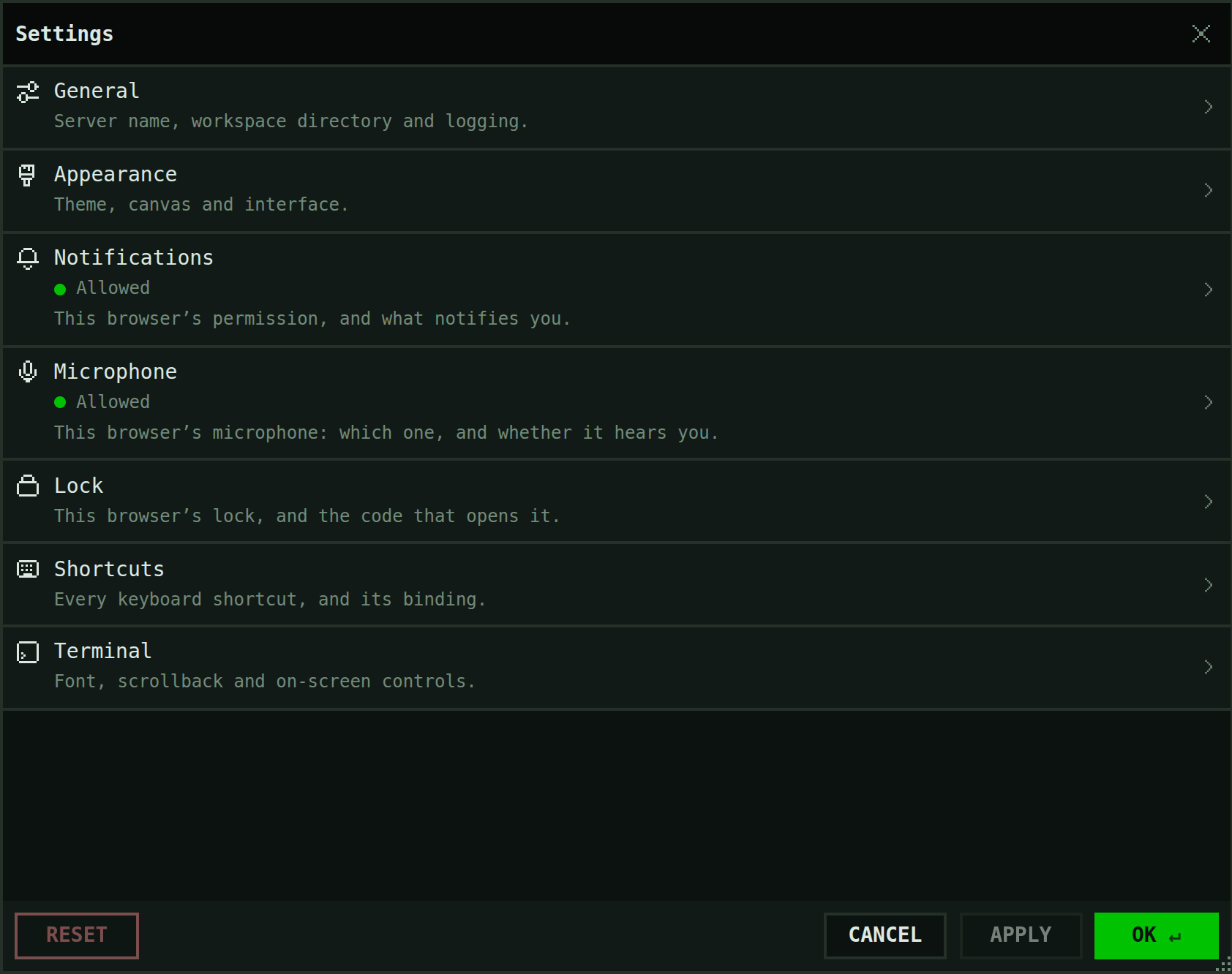
Settings for the server, the appearance and the shortcuts.
- Manage your workspace with built-in panes
- A screen is a layout of panes: split either way, drag to resize. A pane is a terminal, an agent, a browser with DevTools, an editor, git or an HTTP client. The browser and HTTP client are paid-plan features.
- Panes you build yourself
- A folder in your project becomes a pane type, sandboxed in its own frame with a bridge to Webmux.
- Your app in a Local Browser pane
- The dev server beside the agent, with Chrome DevTools built in. Paid plans.
- Files, the editor and git
- A file tree with a Monaco editor, and a git panel for the changes you have not committed yet.
- Pages the agent shows you
- Ask for a mockup and the agent writes an HTML page that appears in a pane. Paid plans.
- Keep files within reach
- Drop files into Upload, preview and download them, or pin them to keep them available.
9 / 12Resource monitoring
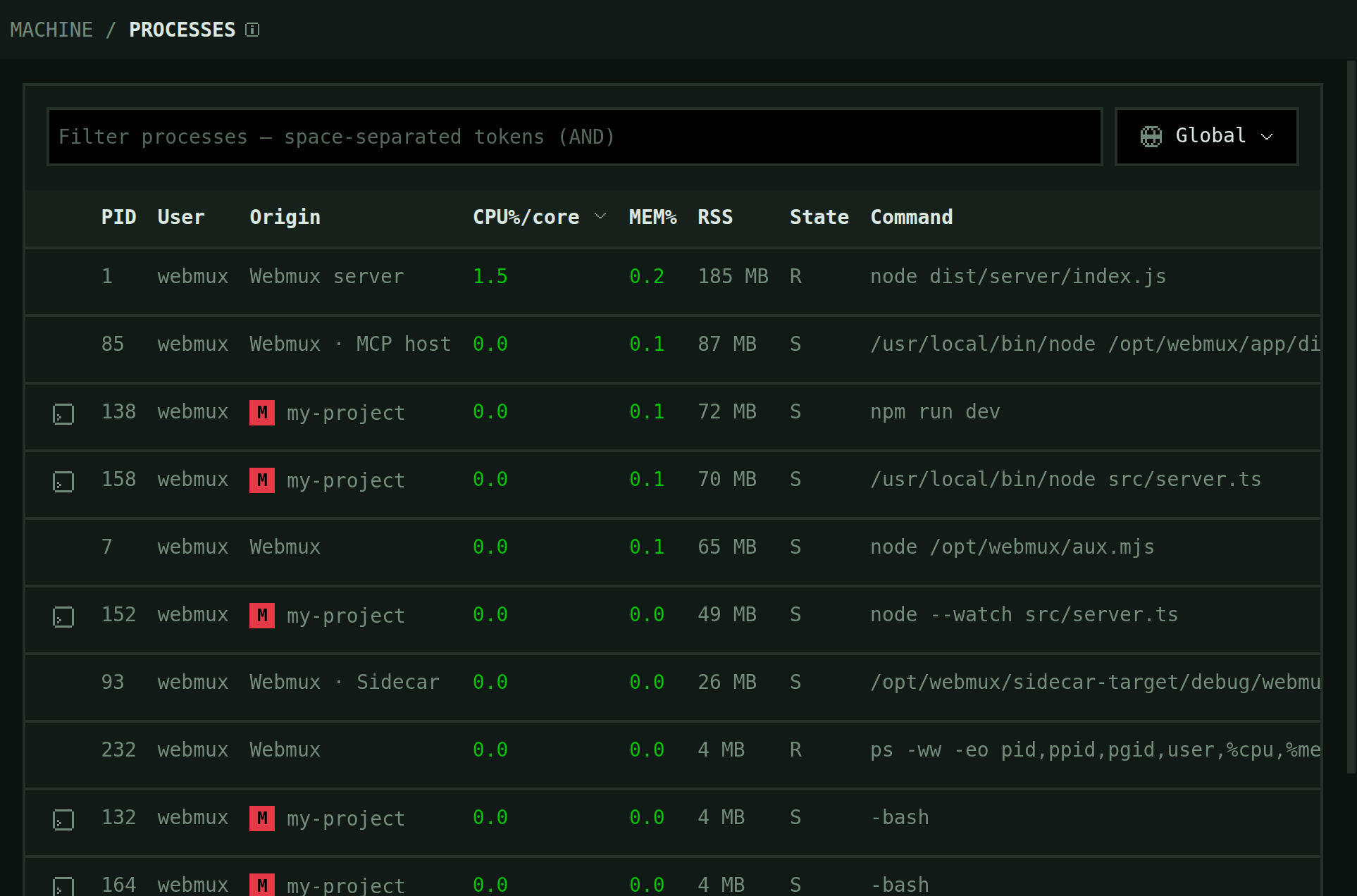
Every process Webmux runs, with its CPU and memory, beside the machine’s resources.
- What it costs the machine
- CPU, memory, disk and uptime in the sidebar; every process on the Machine page.
10 / 12Quota monitoring
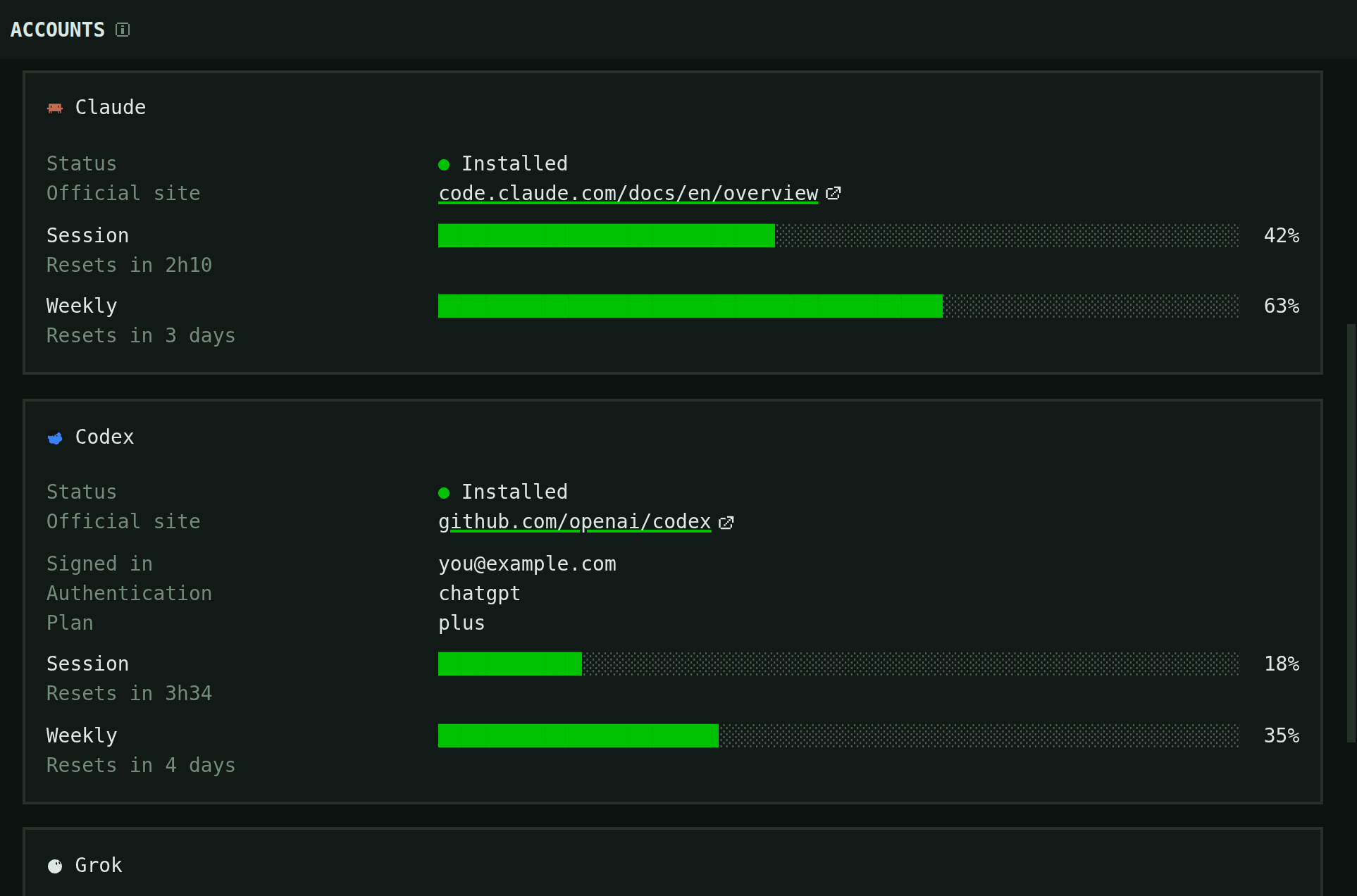
Your agent’s session and weekly limits, and when each one resets.
- See where your tokens go
- The Tokens page prices your week, names what to change, and lists the tools every call loads that nobody used. Max plan.
11 / 12Free plan available
Terminals, sessions and editor are free. Paid plans add remote access and more tools for your workspace.
12 / 12
- Create a screen
- Split a pane
- Resize a split
- Move a pane to another screen
- Give one pane the whole screen
- Read an agent as a chat